UX, UI, Product Design, Conceptual
2020
8 Weeks
UX/UI Designer

Ink Tank caters to both amateur and professional tattoo aficionados in the community. The key objective is to assist with every step of the tattooing process, from finding the ideal tattoo design and artist to the final drop of ink falling into place.
With information more readily available than ever before, tattoo enthusiasts tend to seek designs online first. Tattoo inspiration can be found on social media and many tattoo apps, but none can provide users the exact features they need to make an informed choice about how to proceed with their tattoo journey. Users are left to seek information across several platforms, which is a time-consuming and cumbersome process.
Ink Tank provides curated tattoo designs and artists recommendations based on user preferences. The most utilized features from existing competitors are consolidated and improved upon for a streamlined tattoo experience.


UX research, UI design, brand identity
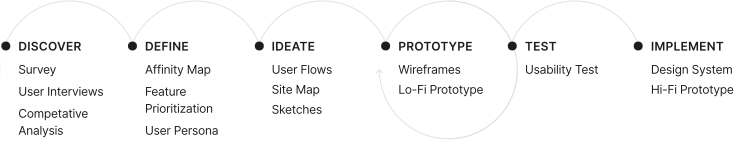
The initial research is centered on understanding the users' needs and concerns when planning to get a tattoo, and how Ink Tank's features may address them accordingly.
What are the existing products for discovering tattoo designs and artists?
How do users interact with existing products?
What are current pain points with existing products?
What features of existing products do users utilize the most? Or wish they have?
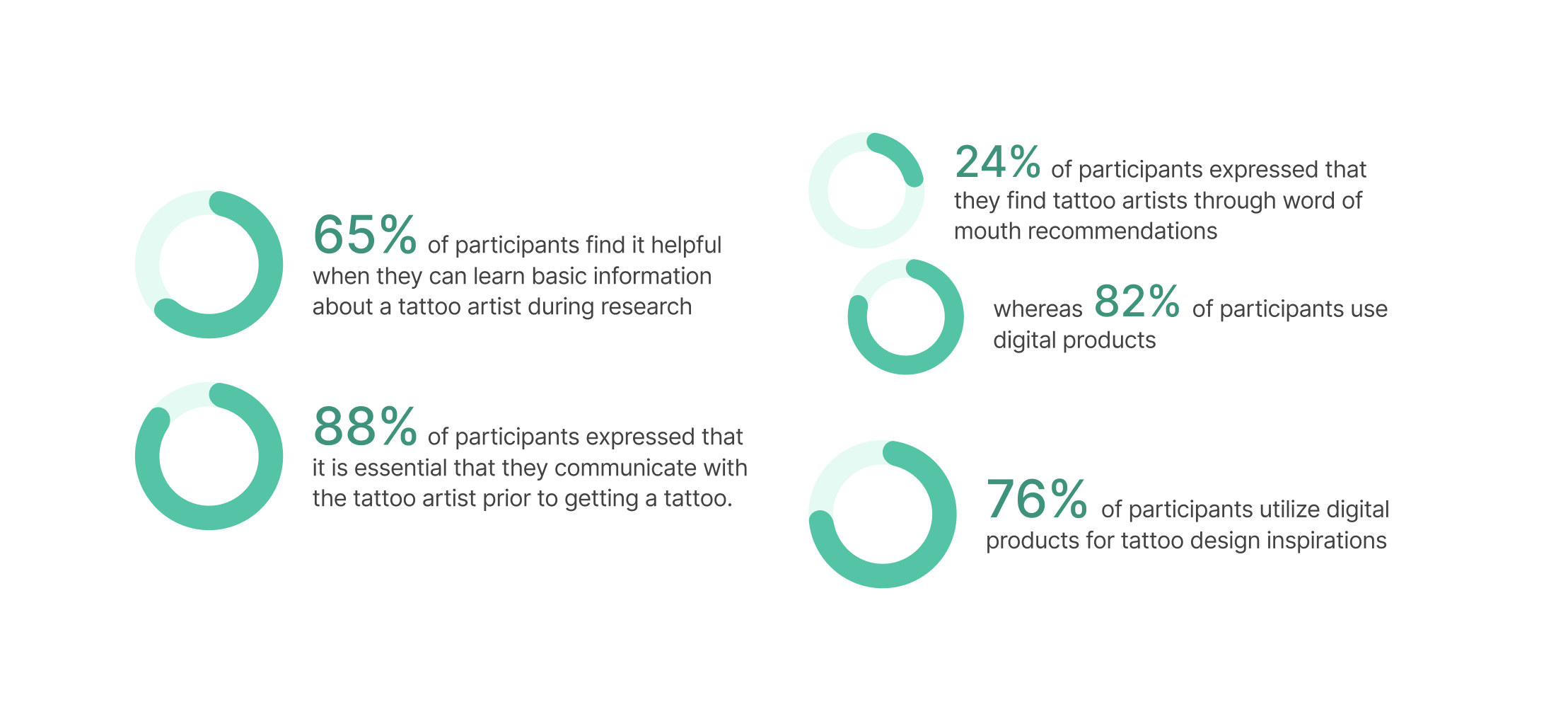
An exploratory poll solicited 28 replies from three tattoo-related Reddit and Facebook communities. Participants varied in ages 18 to 45, with varying levels of tattoo expertise.
Three directly competing tattoo apps and Instagram were chosen for a competitive analysis to reflect on their strengths and limitations in assisting the user's tattoo journey.
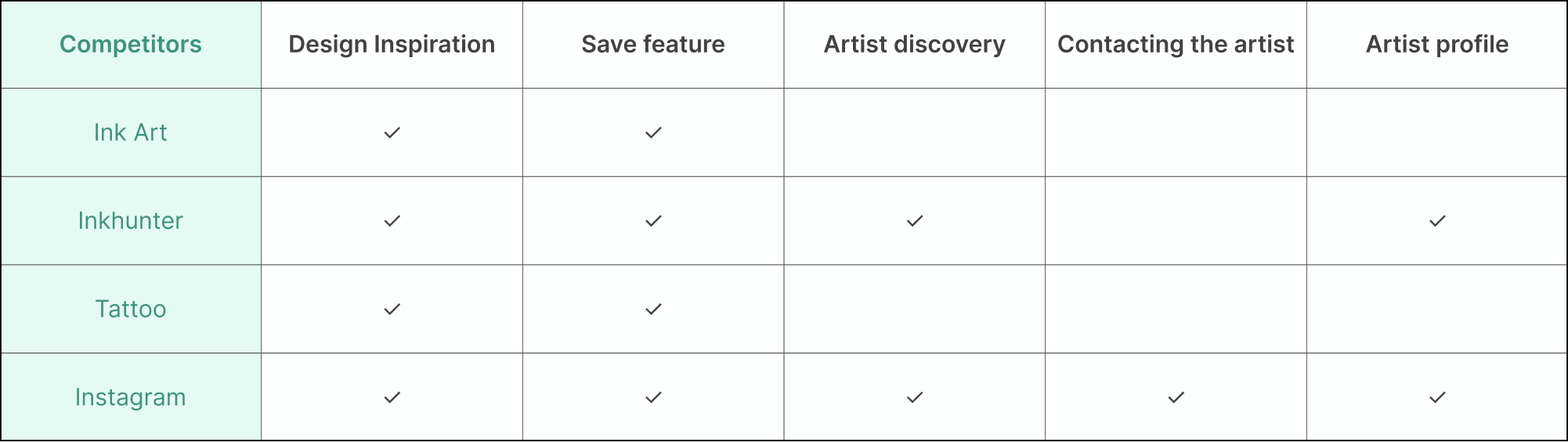
The bulk of existing tattoo applications allow users to browse tattoo designs but lack a sophisticated mechanism for selecting tattoo artists based on the user's preferences.
Filters and tags are essential features for assisting users in quickly distinguishing between different tattoo styles.
Five participants were chosen for user interviews in order to identify their needs and frustrations during their previous tattoo experiences. The participants vary from having 1-2 tattoos to over 30 tattoos at the time of the interviews.
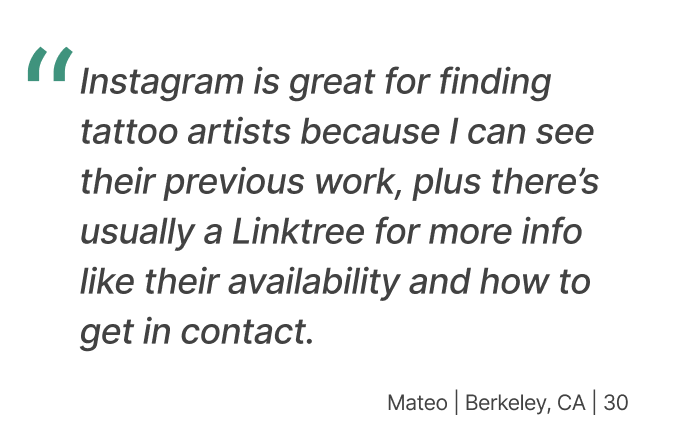
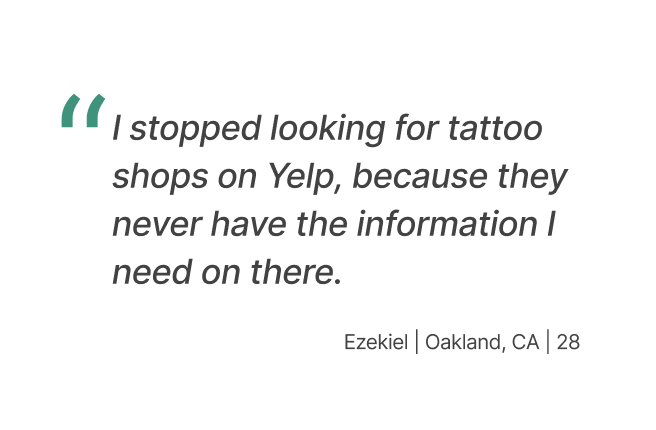
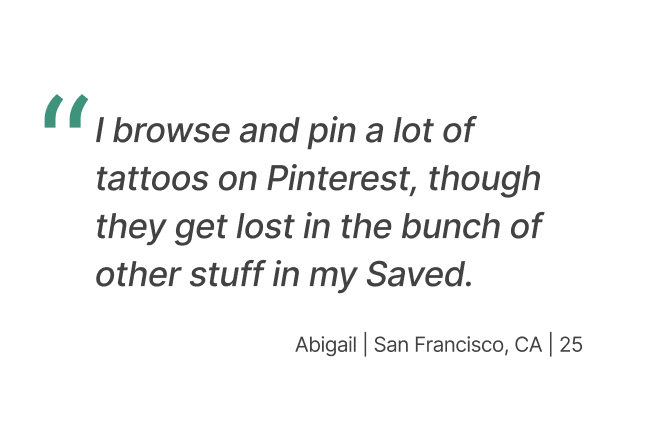
Direct links to the artist's other social media platforms can provide users extra channels to learn about and reach the artist.
Users research tattoo artists' availability, location, and prior work to make more informed judgments.
To minimize misunderstanding, saved content should be organized in an easy-to-use system.
Themes and opportunities identified from the Discover phase insights establish the groundwork for the app's core structure.
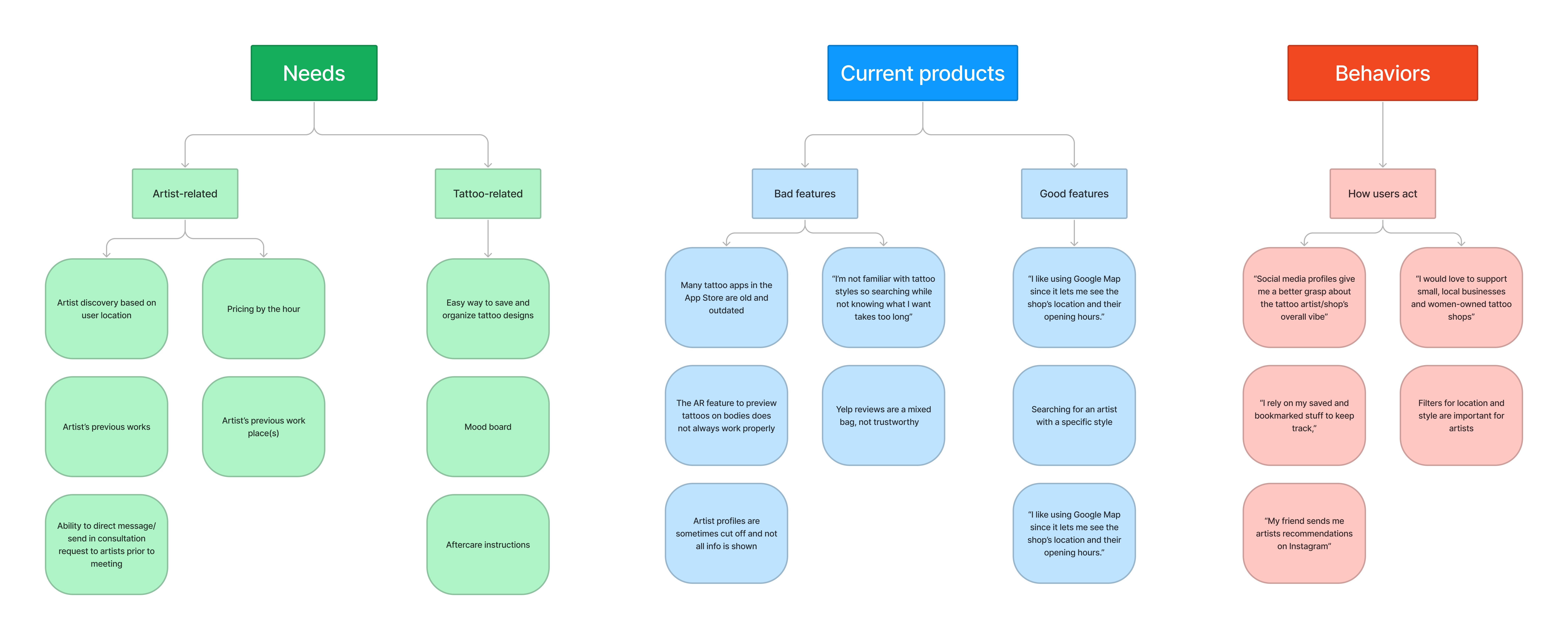
An affinity map was constructed to organize high-level themes and relevant insights acquired from the surveys and interviews.
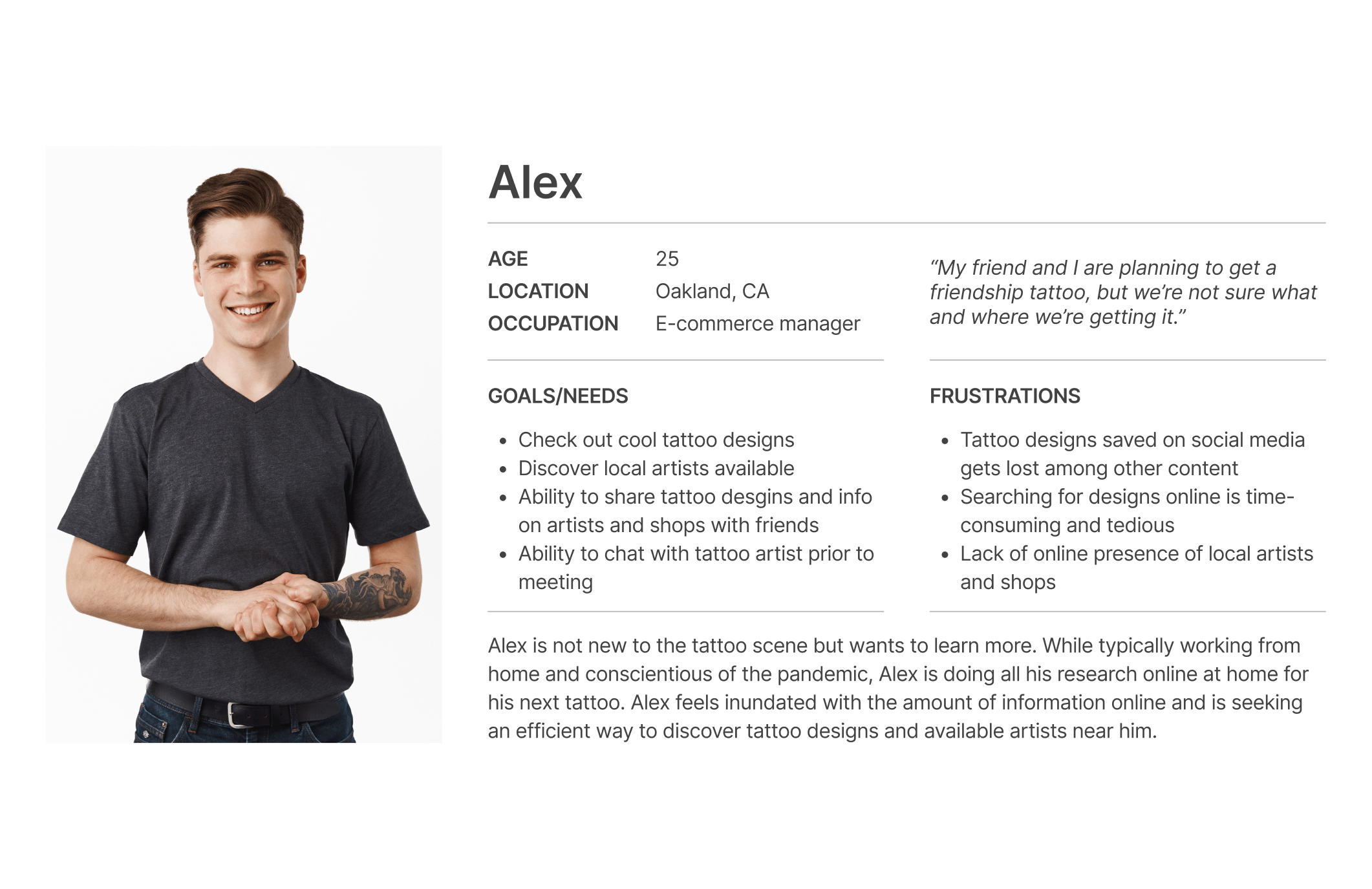
Alex, the user persona, was created to bring the findings of the affinity map to life. Alex's needs and frustrations are articulated in order to clearly identify the objectives that Ink Tank must fulfill.
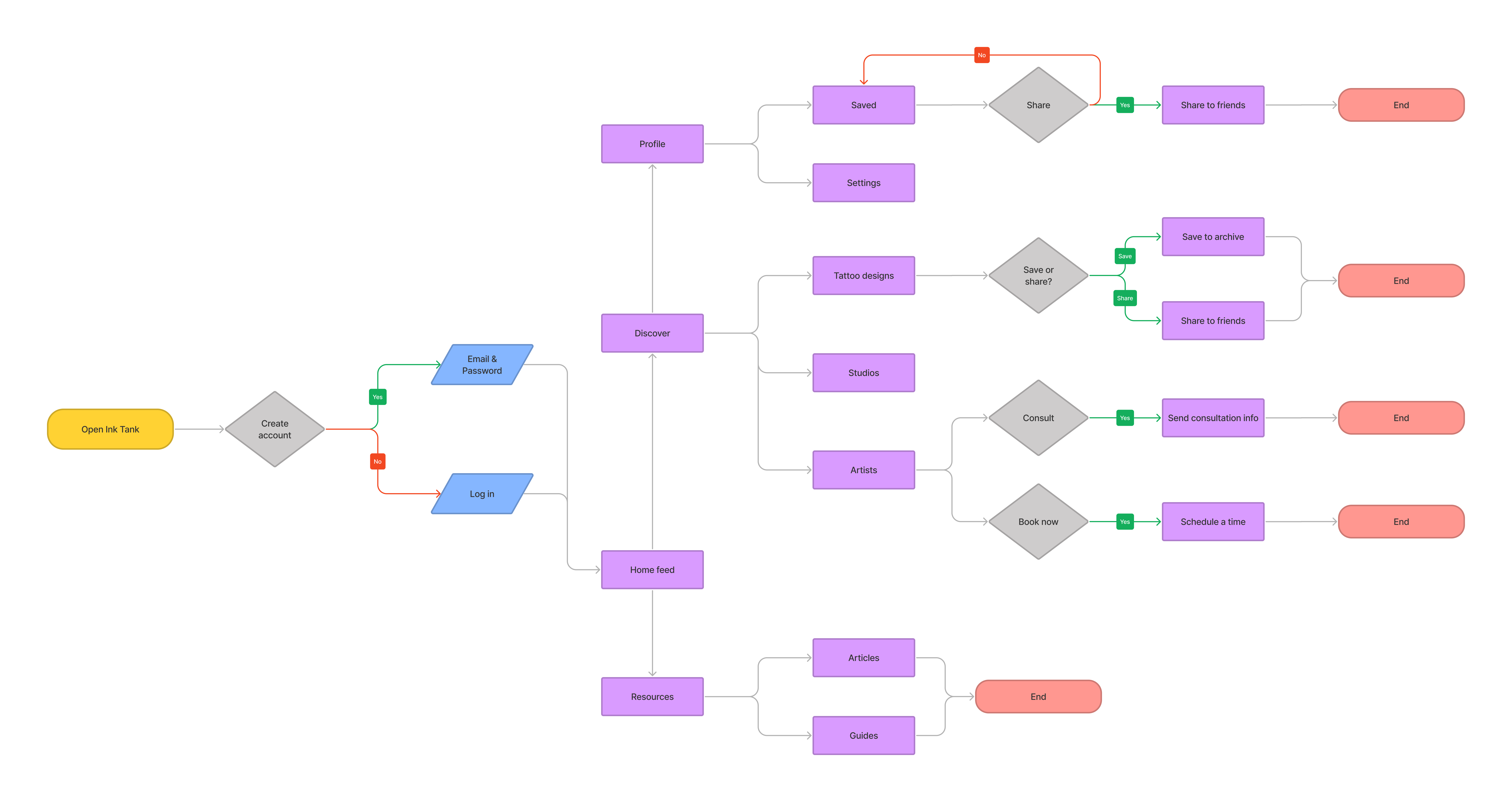
A user flow diagram was created to explore how Alex will approach researching for his next tattoo using Ink Tank.
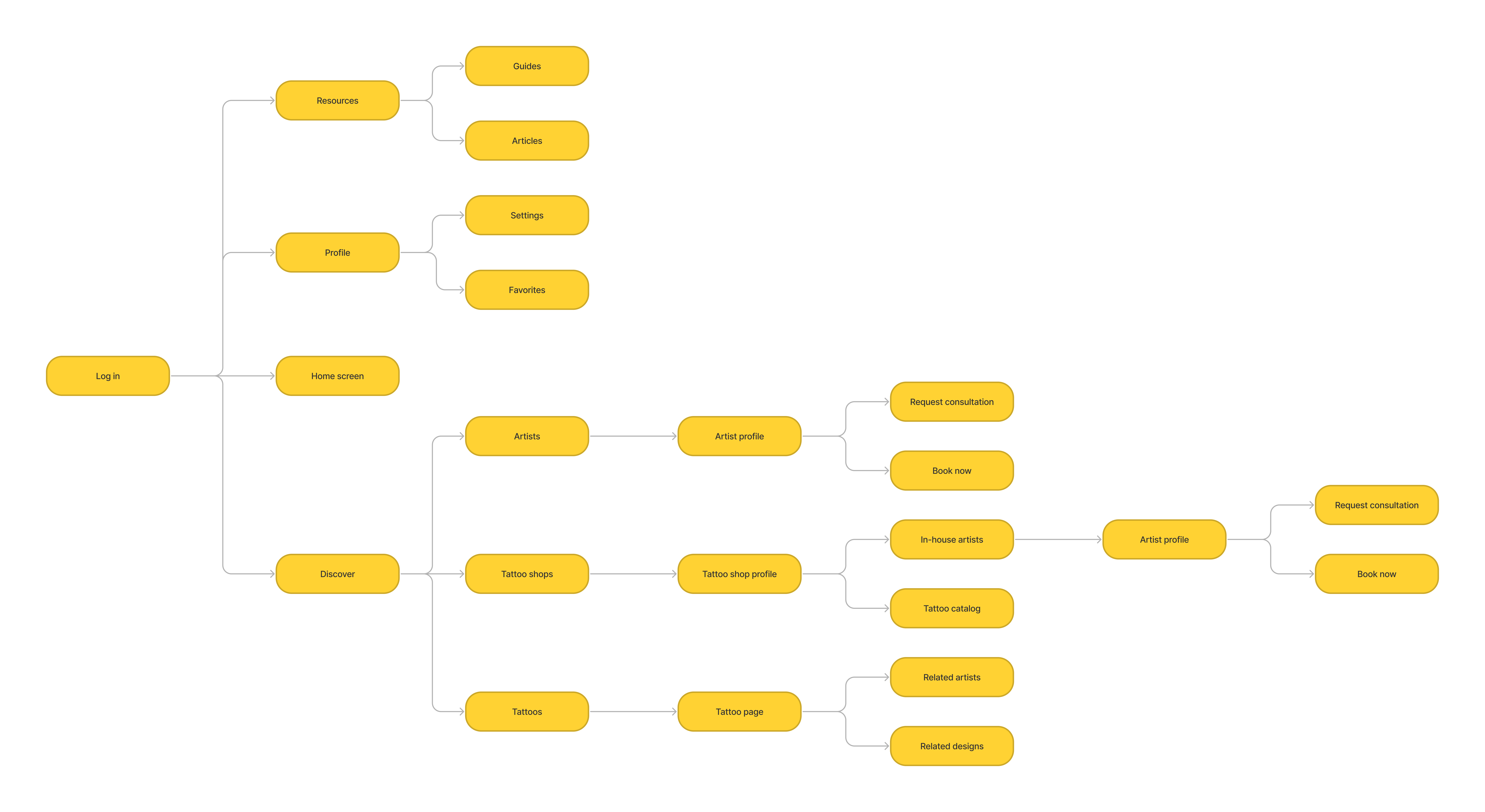
A sitemap was designed to thoroughly identify the structure of Ink Tank and the screens that populate it.
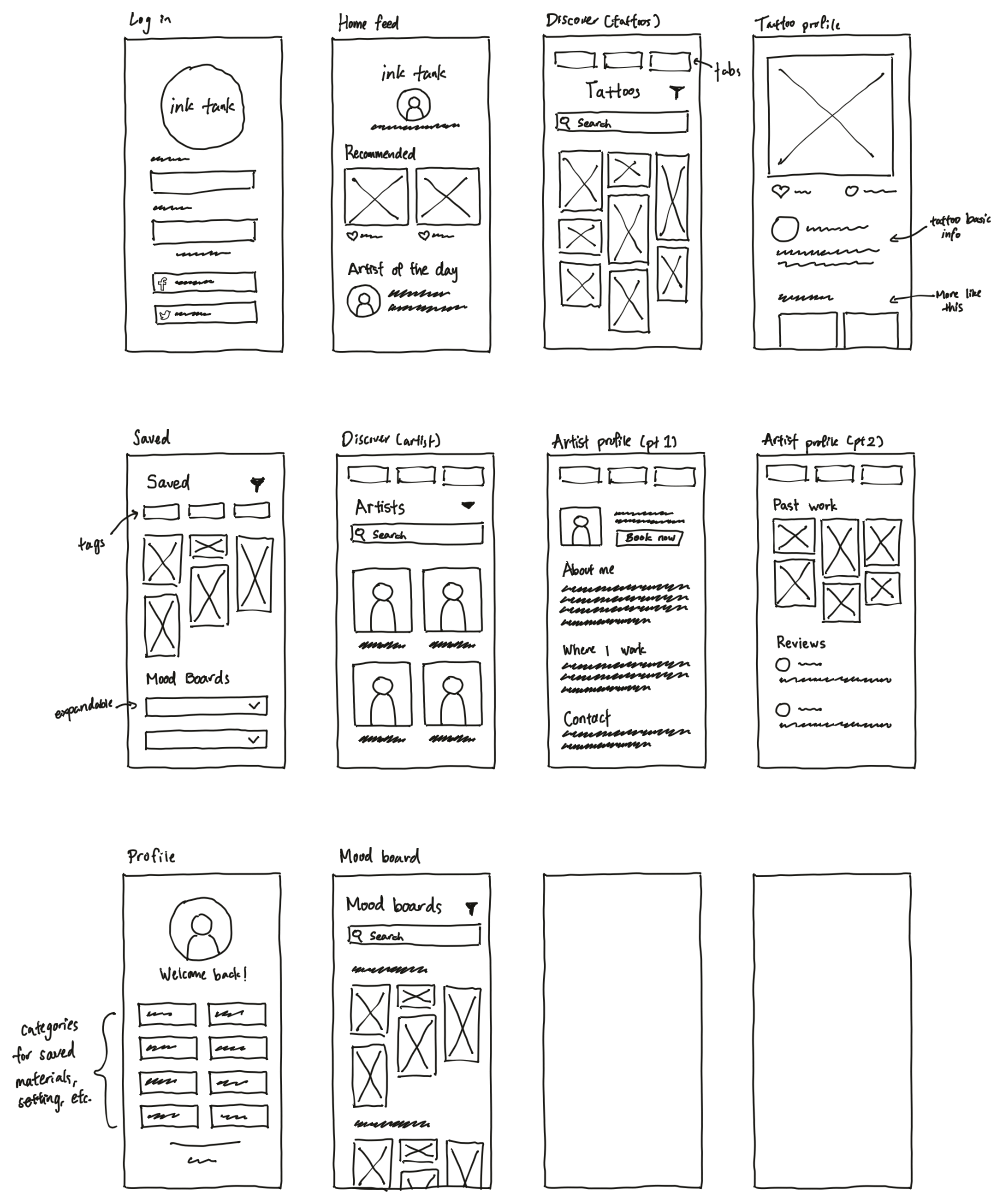
I had a clearer picture of Ink Tank's interface structure after reviewing my findings from the Discover and Define phases. I began on developing wireframes of essential screens and linking them using the user flow diagram, which progressed into low-fidelity prototypes.
I started sketching to get my early thoughts down and generate rough ideas for the interface and its layout.
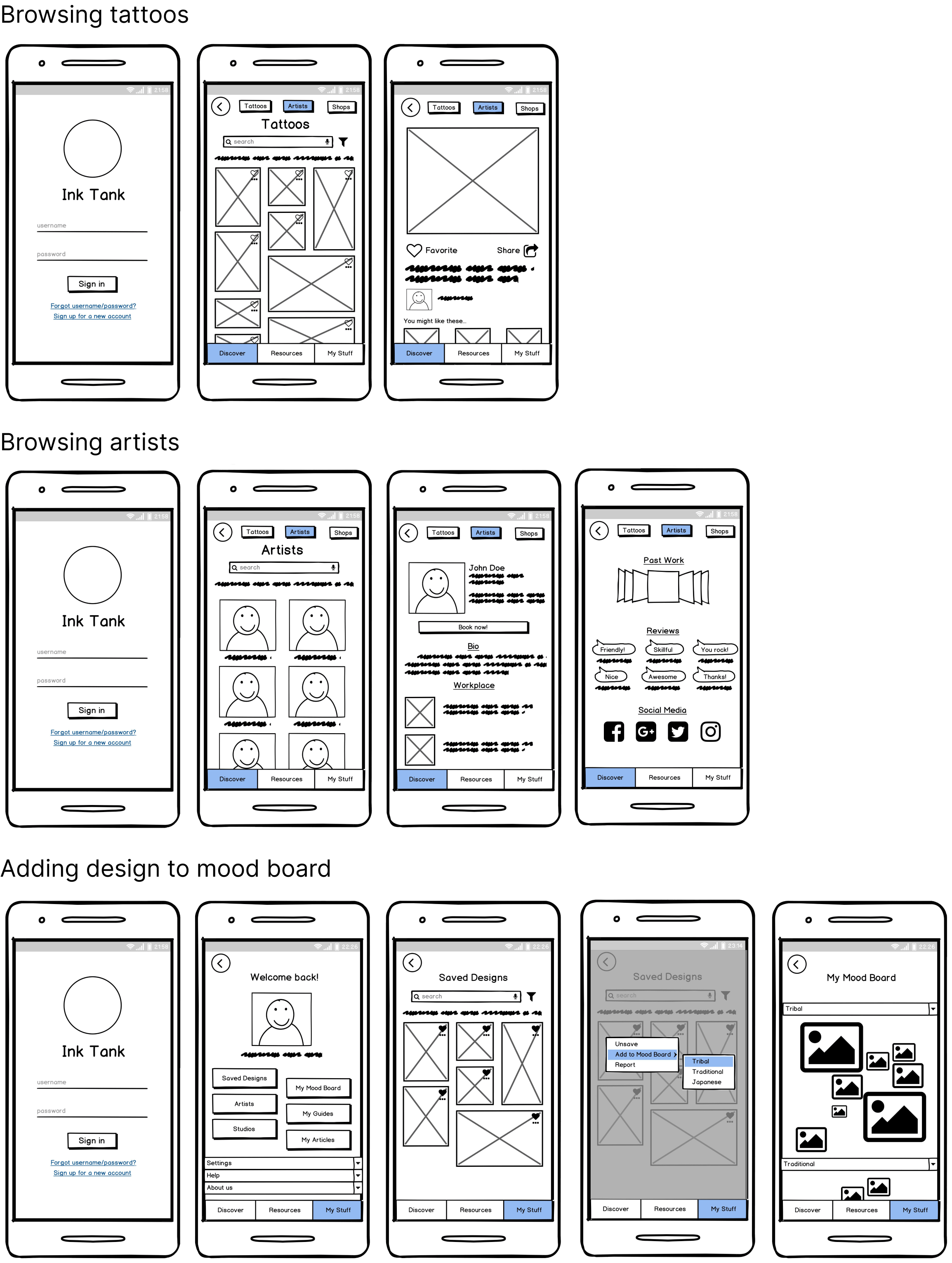
I developed the wireframes further with Balsamiq and pieced them together based on the site map created earlier.
Going into the last phase of design, the low-fi prototypes underwent a series of usability testing before they were polished into high fidelity prototypes. Feedback received during testing was then adapted into the final design to ensure Ink Tank is simple and intuitive to use.
An usability study was conducted to determine where improvements could be made and identify new ideas to satisfy user expectations, needs, and desires. Findings are organized in a spreadsheet shown below.
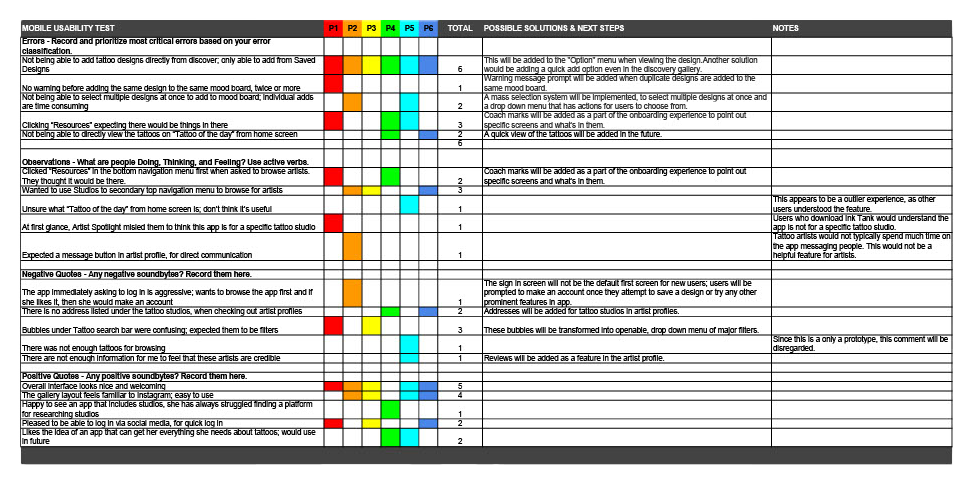
Tags below the tattoo search bar should be changed into drop down filter menus to avoid confusion.
Overlay viewing option is needed for quickly viewing tattoos from “Tattoos of the day” at Home screen.
Addresses of tattoo studios should be provided to quickly and accurately identify their location.
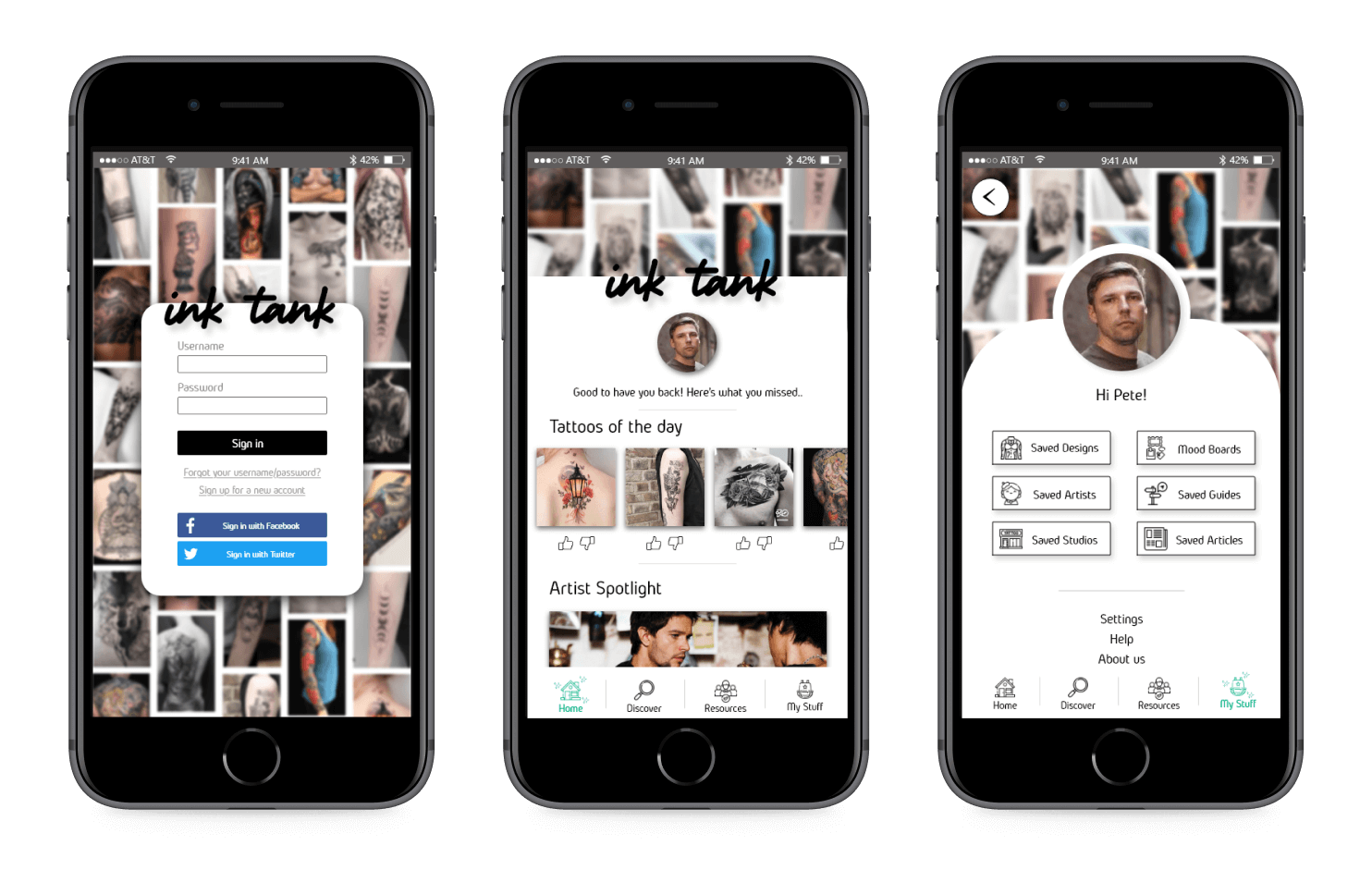
Ink Tank facilitates the tattoo process at every step of the way, giving the user a truly worry-free tattoo experience. Always one step ahead of the user, Ink Tank connects them with local artists and recommends tattoo ideas that match their interests.
Sign in, Home feed, and My Stuff
Users can utilize the filters and drop down menus to quickly search for tattoos of their liking.
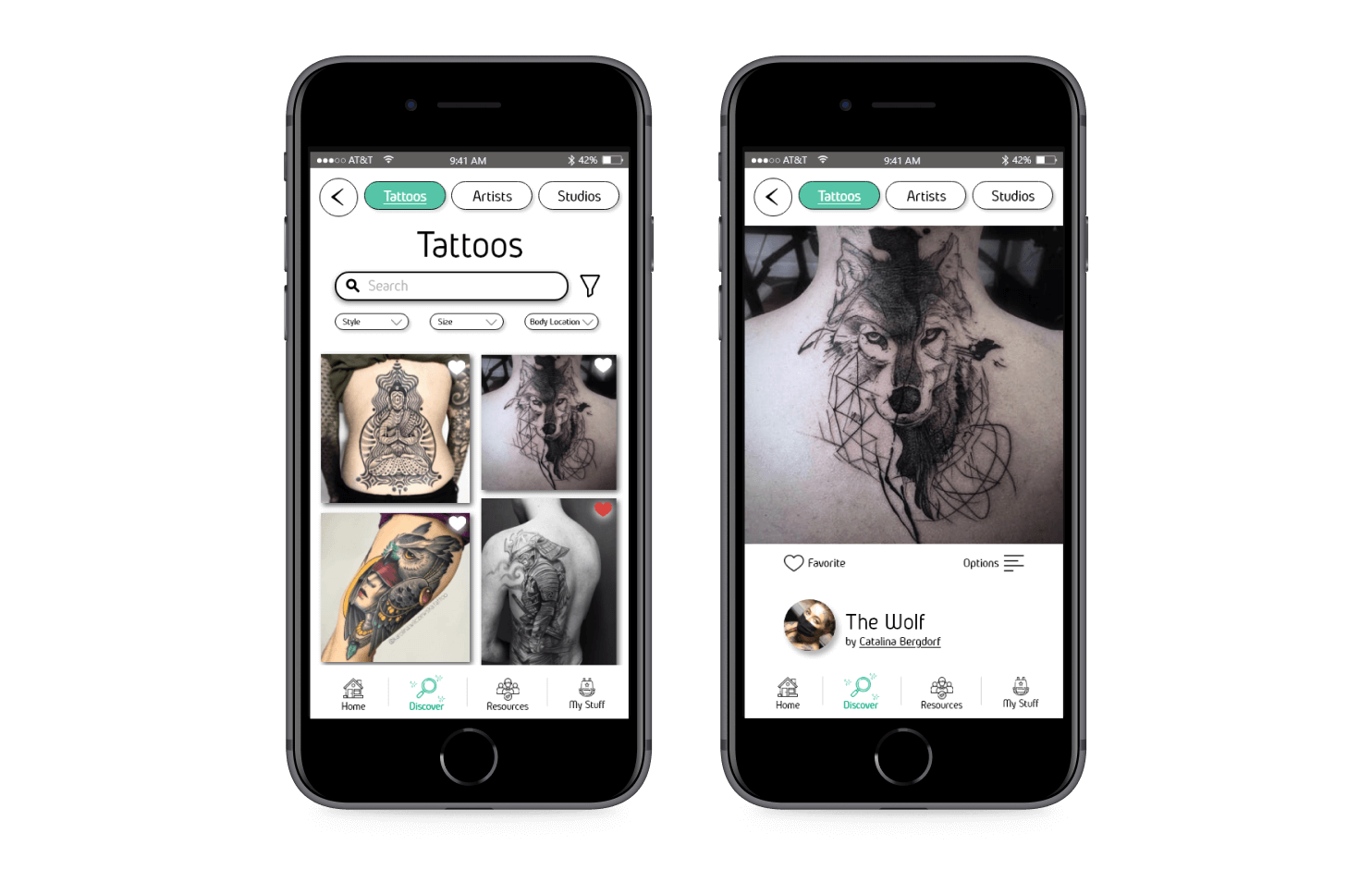
After finding a tattoo, users can find artists near them available for booking.

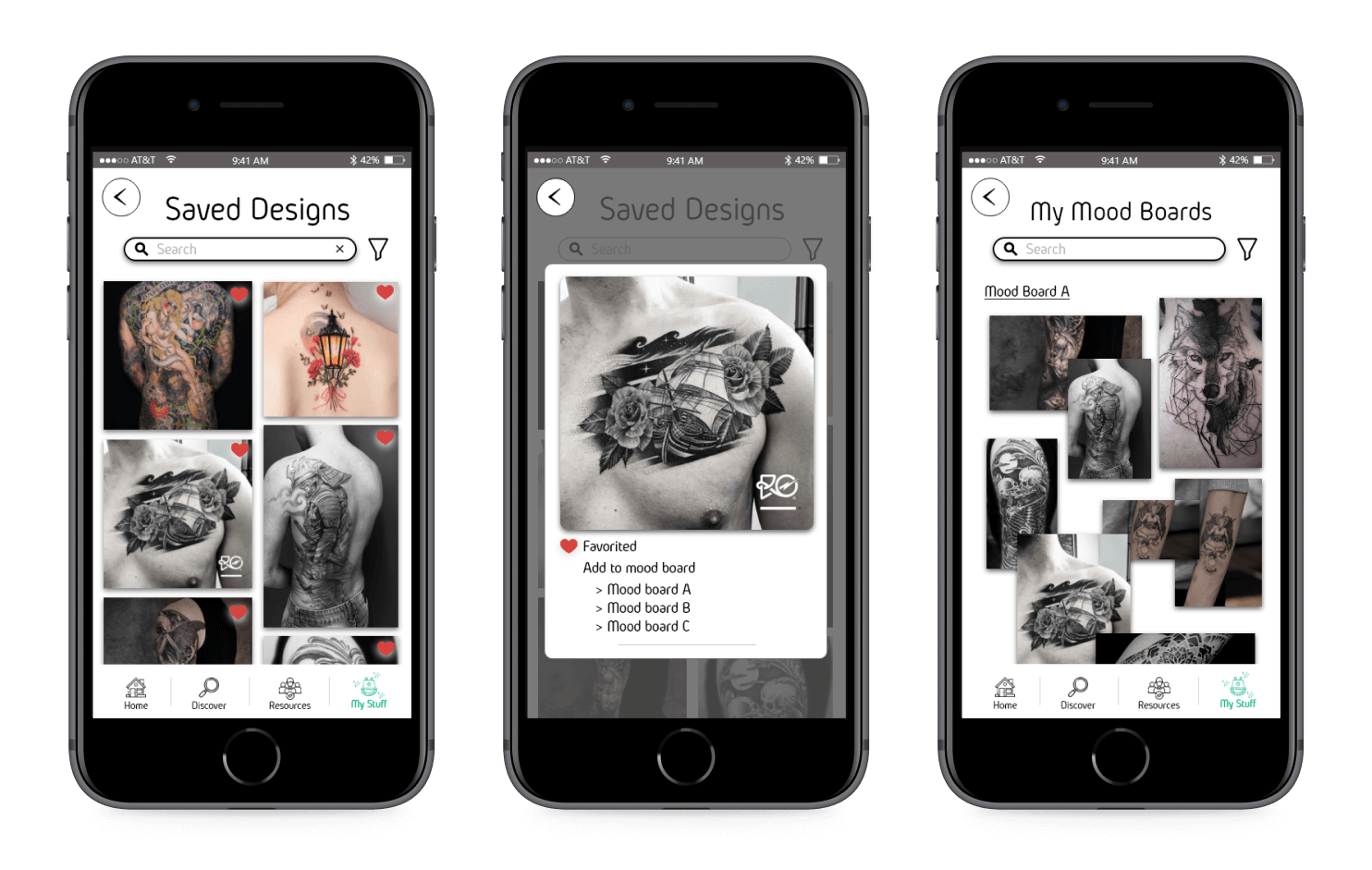
Save for later feature to help organize ideas and plan ahead


© 2021


